Canvas for Pebble2.1.5
Publisher Description
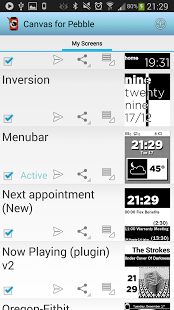
Design a Pebble watch-face on your phone, and publish it instantly to your watch!
This app will only work with Pebble firmware and Android app v2.0+
You will need a Pebble Watch to get the most out of this app! http://www.getpebble.com
If you encounter problems installing the latest Canvas watchface to your Pebble, please see the FAQ.
User guide: http://pebblecanvas.blogspot.co.uk/p/user-guide.html
FAQ: http://pebblecanvas.blogspot.co.uk/p/faq.html
With Canvas, you can:-
- Design watch-faces for your Pebble, on your Android phone
- Control the size, position, format, font, colour and alignment of every item. Drag to move and resize
- Animate anything on your watch-face, and vibrate when content changes, dynamically resize layer, and invert
- Add images, or even an analogue clock!
- Include world-time from any timezone
- Add countdown timers, to a time controlled on your phone
- Switch watch-faces from your phone, only requiring one precious slot on your Pebble
- Share your designs, and download others' on the Canvas Screen Store!
- See the state of your watch (battery level, connection status)
Your watch-faces can use any time format that you wish, including the popular 'text watch' format.
You can also include dynamic content which will update continually from your phone:
- Your next calendar appointments (on supported devices ICS+)
- Missed call, Unread SMS counters
- Unread Gmail counters for any labels
- Phone battery percentage
- Phone sensor status (temperature, humidity, pressure on supported devices e.g. Galaxy S4)
- Weather
- Any content from Tasker
- And anything else via plugins - example: https://play.google.com/store/apps/details?id=com.pennas.canvasnowplayingplugin
And share any watchface that you design with other Canvas users! Use the 'Share' function on the Edit screen. A shared .pcs file can be loaded back into Canvas
Instructions: please see http://pebblecanvas.blogspot.com/p/user-guide.html
Developers: see http://pebblecanvas.blogspot.co.uk/p/plugins.html for information on creating content plugins for Canvas
Limitations:
- Pebble does not yet support persistent storage. This means that every time you select the 'Pebble Canvas' watch-face on your Pebble, it must communicate with your phone before it can display anything. After this, it will continue to display all non-dynamic content even if connection to your phone is lost.
Support:
- Please submit any bug reports if you do encounter an issue. You may also submit diagnostics from the 'About' menu to help diagnose any problems
- Please email me with any problems/issues/suggestions. This is a lot easier than responding via the Google Play comments system
Permissions:
- WRITE_EXTERNAL_STORAGE - send watchface to Pebble app, share screens
- RECEIVE_BOOT_COMPLETED - update pebble when phone starts
- READ_CALENDAR - display upcoming calendar events
- READ_SMS - Get SMS unread count
- READ_CALL_LOG - Get Missed calls count
- gm.permission.READ_CONTENT_PROVIDER - Get GMail unread counts
- GET_ACCOUNTS - Get GMail accounts
- ACCESS_COARSE_LOCATION - Get location for weather
- INTERNET - Get weather
- READ_CONTACTS - some devices need this for missed call updates
- VIBRATE - Test vibration patterns on your phone
- ACCESS_WIFI_STATE - Show current wifi information on your watch
- ACCESS_NETWORK_STATE - Check if you are connected to the internet or not
About Canvas for Pebble
The company that develops Canvas for Pebble is Steve Penna. The latest version released by its developer is 2.1.5. This app was rated by 1 users of our site and has an average rating of 3.0.
To install Canvas for Pebble on your Android device, just click the green Continue To App button above to start the installation process. The app is listed on our website since 2016-01-27 and was downloaded 53 times. We have already checked if the download link is safe, however for your own protection we recommend that you scan the downloaded app with your antivirus. Your antivirus may detect the Canvas for Pebble as malware as malware if the download link to com.pennas.pebblecanvas is broken.
How to install Canvas for Pebble on your Android device:
- Click on the Continue To App button on our website. This will redirect you to Google Play.
- Once the Canvas for Pebble is shown in the Google Play listing of your Android device, you can start its download and installation. Tap on the Install button located below the search bar and to the right of the app icon.
- A pop-up window with the permissions required by Canvas for Pebble will be shown. Click on Accept to continue the process.
- Canvas for Pebble will be downloaded onto your device, displaying a progress. Once the download completes, the installation will start and you'll get a notification after the installation is finished.
Program Details
System requirements
Download information
Pricing
Version History
version 2.1.5
posted on 2016-01-27
v2.1.5,Weather fixes. You will need to enter your own API key for OpenWeather to work
version 1.2.1
posted on 2013-06-14
Several fixes and updates
